Anyone can be a developer.
Create websites and apps with Surfy. Bring your docs, tasks, code and team together in one workspace.
What are we making?Describe it. Surfy builds it.
Your app appears here.

An example rendered live by SurfDoc in your browser. Try a change when it is ready; the phone preview follows.
Watch it build, then try a change.
- 1
Start with your idea.
Tell Surfy what you want to make. See the result take shape beside the conversation.
- 2
Make it yours.
Change the words, the layout or the details. Your project stays in your workspace for the next idea.
- 3
Publish. Then keep improving.
Put your website at your own address. Come back from your phone or computer when something changes.
Cloud
Create and organize docs, sheets, decks, notes, websites and apps. Keep the images, files and other assets that belong with them.
Tasks
Turn your idea into a plan. Track tasks for yourself or a team, see time in status and follow AI token cost.
Code
Keep repositories beside the project. Browse and edit files, review changes, and connect GitHub with one-way or two-way sync.
Connected devices
Reach your own computers remotely. Access files and use a terminal from another CloudSurf device.
Local AI
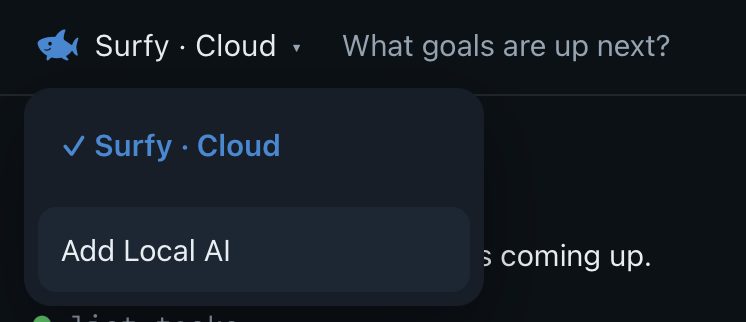
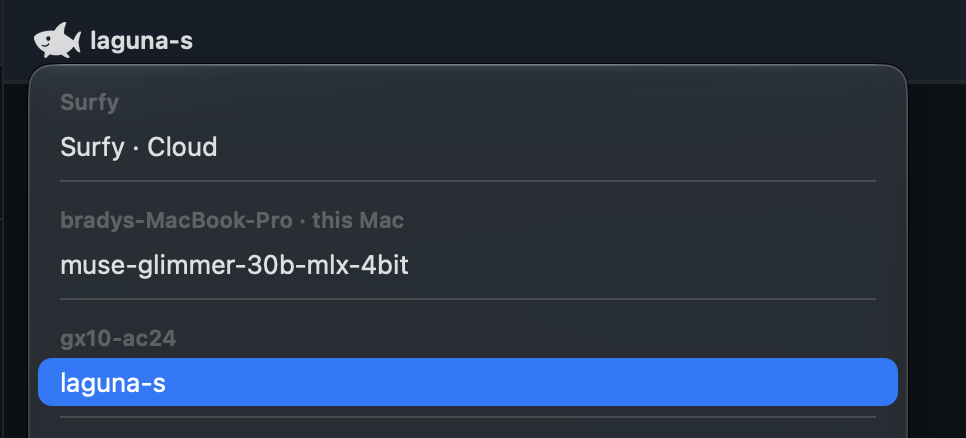
Run models on your connected computers. Choose one in Surfy and talk to it from your phone, Mac or browser.
Surfy and Messages
Ask Surfy to work on what you have open. Talk with people in your workspace and keep conversations beside the work.

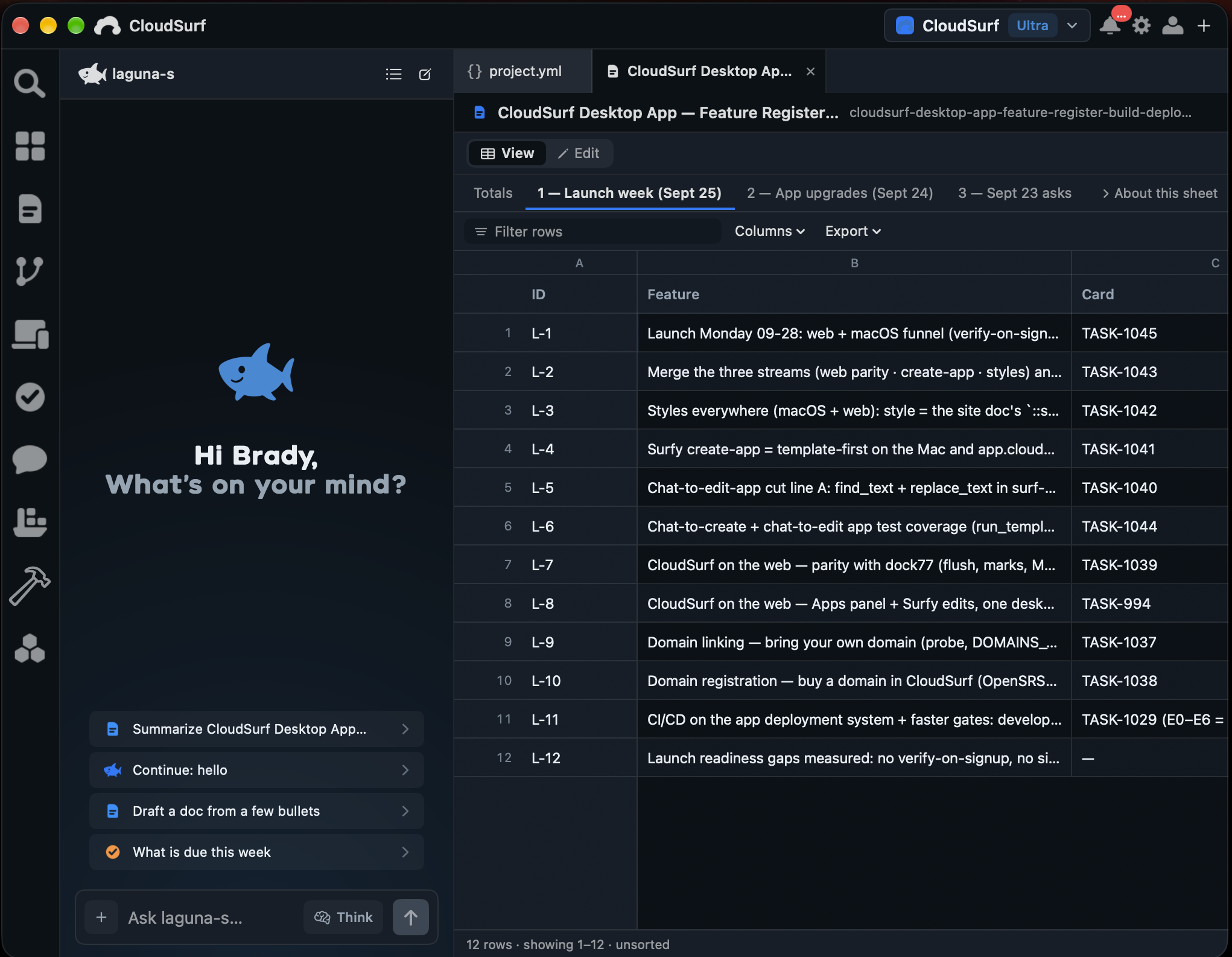
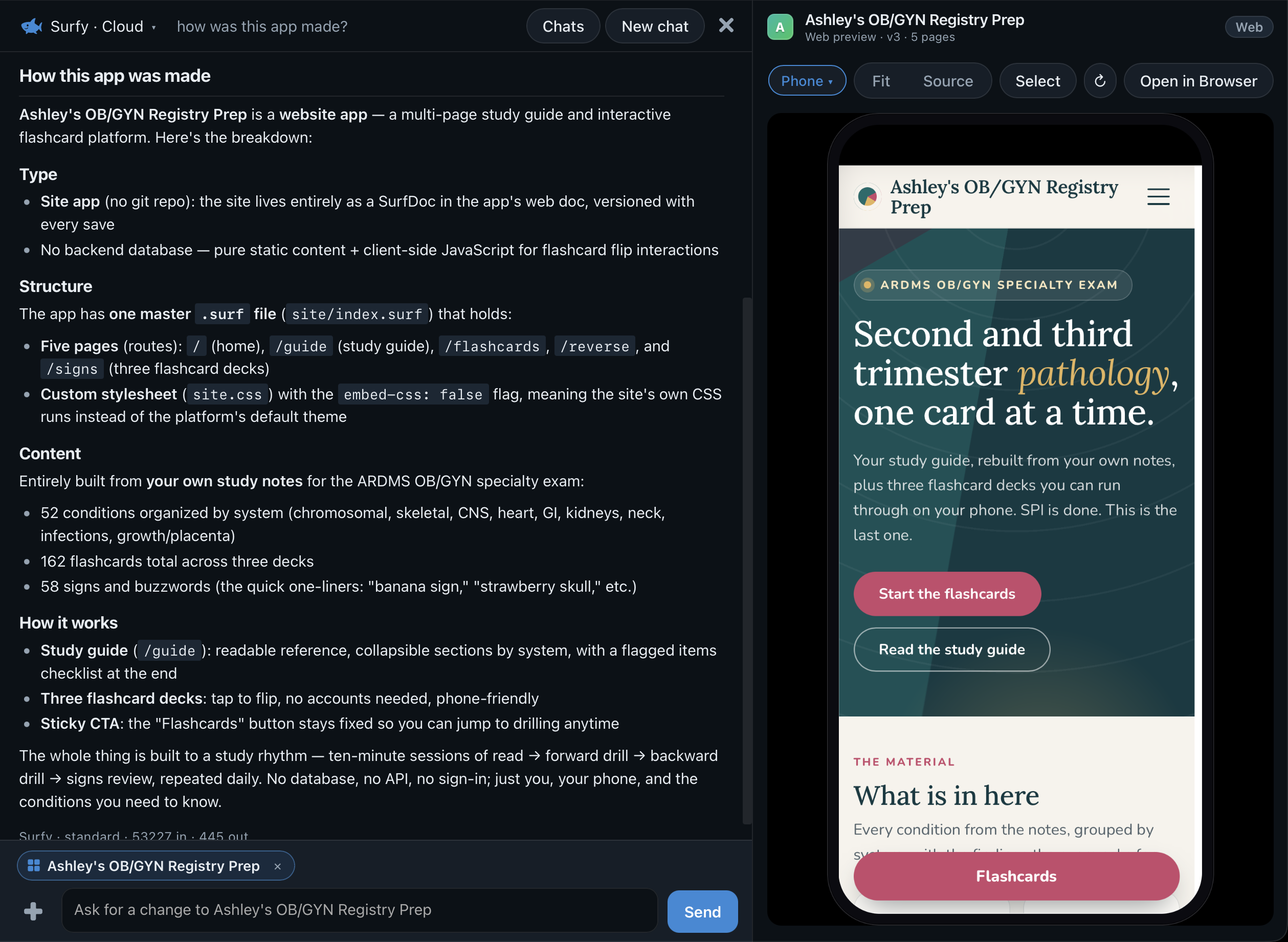
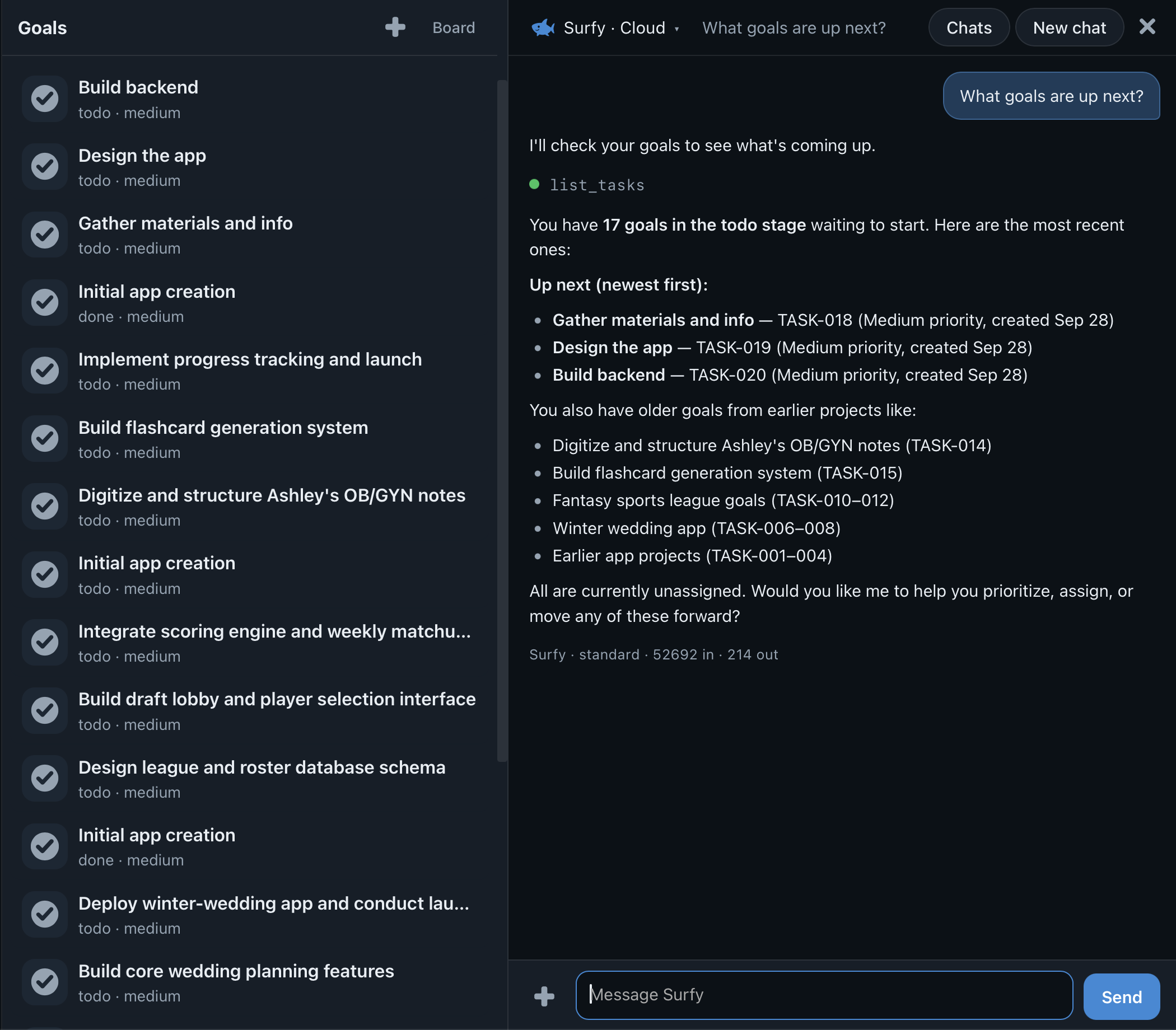
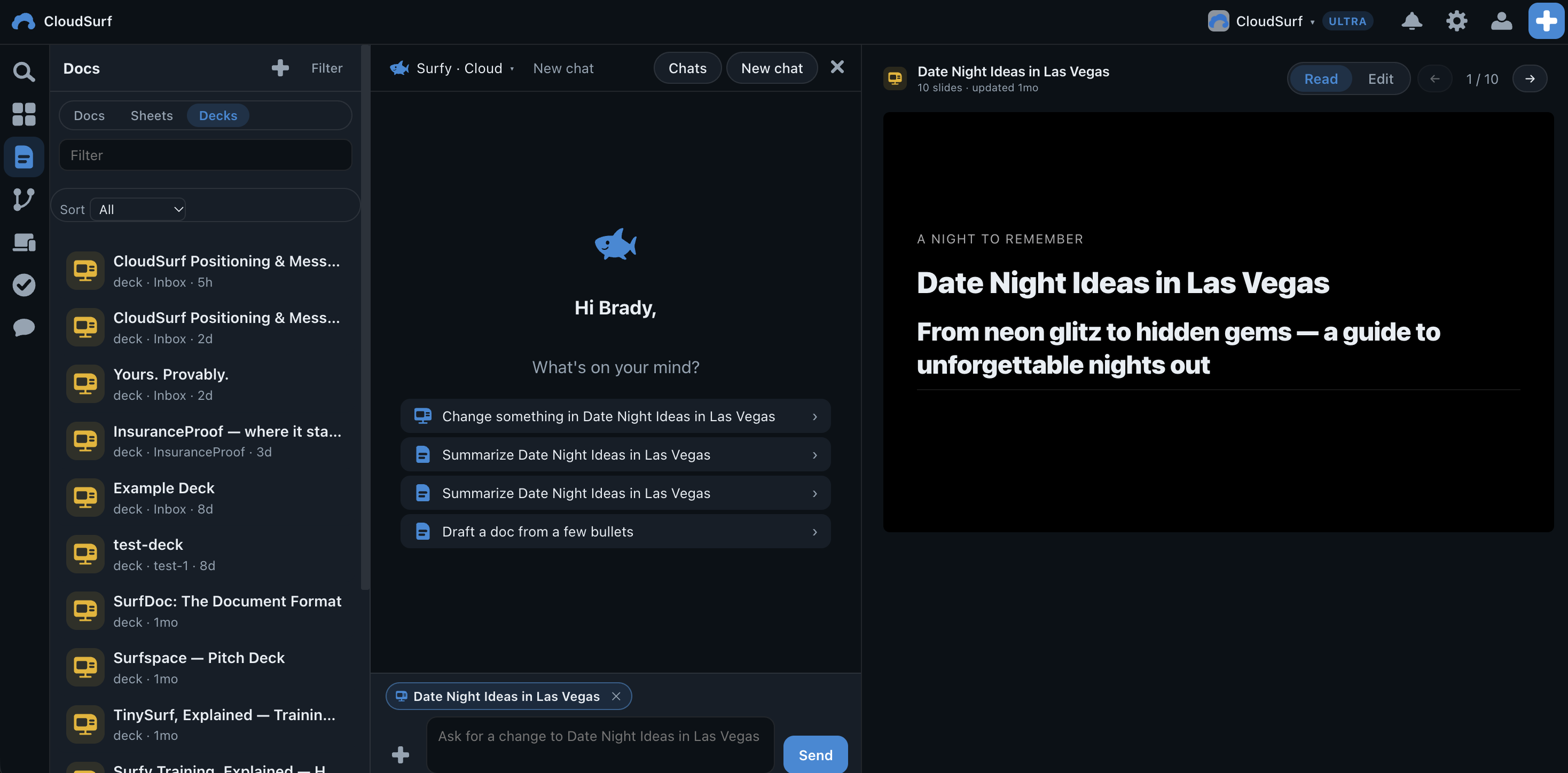
SurfDoc is the format behind your docs, sheets, websites and apps. Keep them in your workspace, edit with Surfy, and share with the people you choose. Your images and files stay alongside them as assets.
For your business
Make a website you can keep up to date. Bring your copy, images, planning sheets and next steps into the same workspace.
For your next product
Work through the idea, build a website or app, and organize what comes next. Bring collaborators into the project as you go.
For your clients
Work in repositories with your tools. Share documents, track tasks and give your clients a place to participate.

- 1
Add your devices.
Connect a Mac or Linux computer to your workspace. Open its files and terminal remotely.
- 2
Download on-device models.
Choose a model fitted to your computer's memory. It runs on the device you own.
- 3
Talk to them from anywhere.
Choose the connected model in Surfy, then chat from your phone, the Mac or the web.
The model on your desk. The conversation in your pocket.
Choose cloud AI for convenience, or local AI on a connected device. Your workspace travels with you.
Share the work.
Choose who can view or edit each document: just you, your workspace, or anyone with a link.
Keep your tools.
Connect your coding agent to your workspace through MCP. Use CloudSurf Terminal when you want to work from the command line.
Keep moving.
Track the work in Tasks. Discuss changes in Messages. Return to the project from your phone or computer.
Surfy, beside your work.
Your mail, in your workspace.
Connect Gmail and read it on the web, the Mac and the iPhone. Ask about a thread, save an attachment, or have Surfy write one summary of what came in.
Surfy, from any agent.
Your workspace has its own MCP address. Find it in Settings, Connected agents, and connect the agent you already use to your docs, tasks, mail and files.
Free
$0
Explore your workspace.
- One template-based app creation
- 1 website
- 1 GiB storage
- 50 active tasks
- Use models on your own connected devices
Cloud AI credits are not included.
Pro
$20
Per seat / month. For ongoing creation.
- 3,000 cloud AI credits per seat / month
- Unlimited websites
- 1 connected custom domain
- 10 GiB storage
- 500 active tasks
Build and keep improving with Surfy's cloud AI.
Ultra
$200
Per seat / month. For heavier AI use.
- 30,000 cloud AI credits per seat / month
- Unlimited websites
- 50 connected custom domains
- 200 GiB storage
- 10,000 active tasks
More cloud AI usage and room for your work.
Paid plans are billed per workspace, per seat. Included cloud AI credits are pooled across the workspace and reset monthly. Usage varies with the model and the work you ask Surfy to do. A connected domain uses an address you own; domain registration is separate.
Free starts with one template-based creation. Choose a paid plan for included cloud AI credits, or use a model on your own connected device.
iOS
Your workspace on your iPhone.
Coming soon
Android
Your workspace on your Android phone.
Coming soon
Linux
CloudSurf on your Linux computer.
Coming soon
Windows
CloudSurf on your Windows computer.
Coming soon